For those of us who are less tech savvy, WordPress plugins make it immensely easier to optimise our website without much technical know-how.
If your goal is to show up higher in the Google search rankings, you absolutely need to install the Yoast SEO plugin. Yoast provides a helpful real-time guide to tweaking your posts and pages, offering suggestions for what you can do to better optimise them based on your desired SEO keyword phrase.
Here’s our quick guide to using the Yoast SEO plugin to optimise your WordPress site:
Yoast SEO For Your Blog Posts
After you install the Yoast SEO plugin, you’ll start to see the Yoast SEO box at the bottom of every post and page when you go to write or edit them.
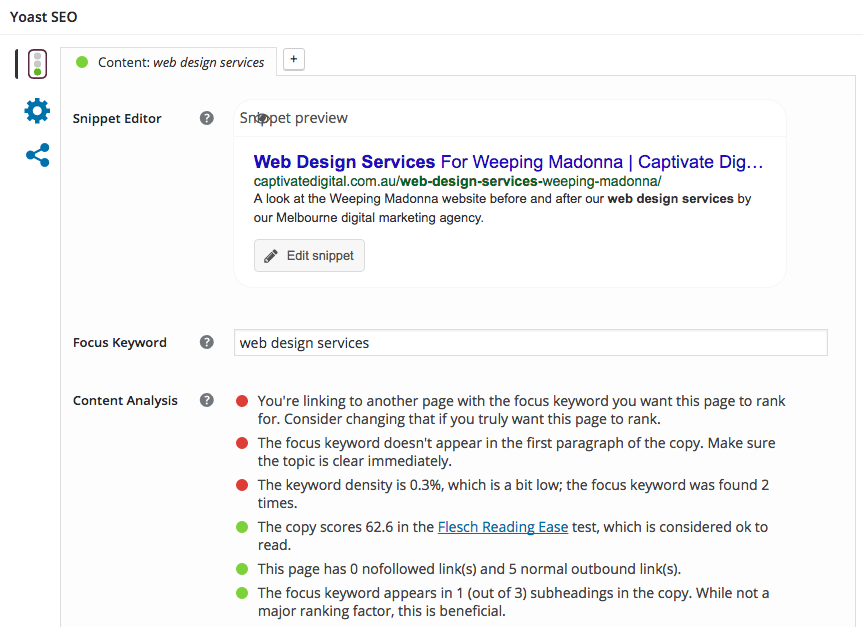
Your goal is to get that little traffic light icon to turn green – that means you’ve optimised your post well for your keyword phrase. If this light is orange, yellow, or red, you’ve got some work to do! Luckily Yoast makes it easy breezy:
- First, enter the keyword you’d like this particular post or page to rank for in the ‘Focus Keyword’ box.
- Then, take a look at the suggestions under Content Analysis. If they’re marked in green, it means you’ve already completed them. If not, consider following the tip by making small tweaks to your post or page content – as you do, those lights will start to turn green.
- Is the main traffic light at the top of the Yoast SEO box green yet? Once it is, consider your page well optimised!
It’s very important to note that Yoast is not the be-all, end-all of SEO. You don’t have to follow it *exactly* in order to get your website to rank higher on Google. Just do what you feel comfortable with.
Yoast SEO For Your Website
The Yoast SEO plugin also comes with some sitewide settings that you can optimise and tweak if desired. To access these, hover over the SEO link on the left side of your WordPress dashboard. The SEO submenu should expand as you hover.
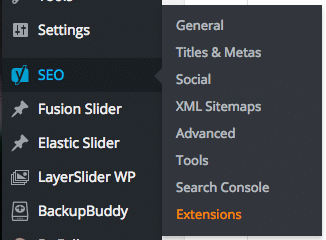
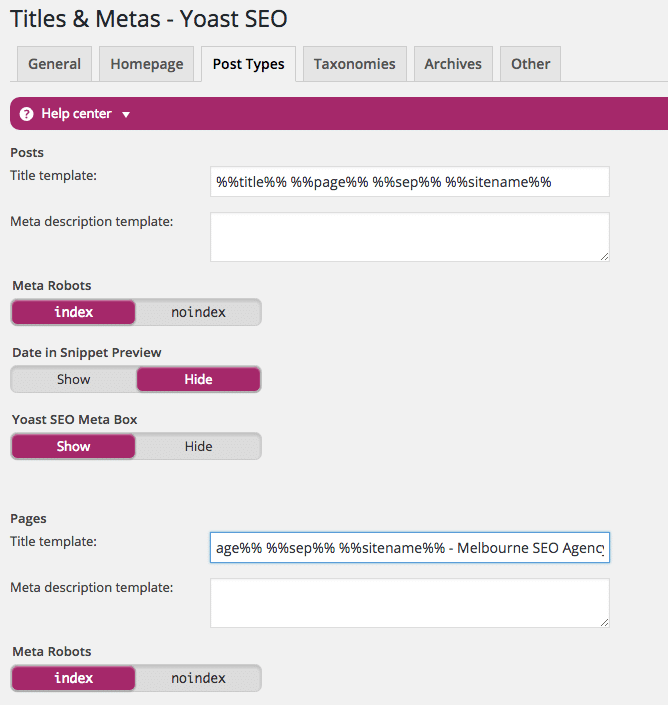
Our Melbourne SEO specialists tend to focus on the Titles & Metas portion of the SEO menu. This is where you can adjust the structure of your page and post titles – i.e. the wording that appears in your browser bar when you open that webpage.
The Yoast default setting includes some code-like variables that usually display the page name along with your website name. You may want to change these to include a particular keyword phrase that you’re especially keen to rank for. When you do this, that keyword will appear on all post and page titles throughout your site unless you change them on the individual post or page edit screens (in the Yoast SEO box we looked at earlier).
In the screenshot above, we’ve added “Melbourne SEO Agency” to the end of all page titles on this site because that happens to be the #1 keyword we’re trying to rank for on Google.
Be careful not to add too much text to your post titles. Blog post names tend to be longer than page names, and if you’re also including your site name AND a keyword phrase in the post title, it’s probably going to be too long (which Google doesn’t like).
Rock Solid Marketing is a Mildura and Melbourne digital marketing agency that specialises in SEO and web design. Contact us to learn more about our web design services and SEO services.