We’re going to assume you’ve heeded our advice and decided to build your website using WordPress. Hooray!
One of the great things about using WordPress is that it’s so dang easy to build a website without much knowledge of website coding or web design. These days, it’s very much a plug-and-play endeavor.
To set yourself up for web design success, however, you really need to ensure you pick a quality WordPress theme to use. This will serve as the foundation for your site and dictate how it looks and feels, and what it’s able to do.
Read on to learn more about finding and installing WordPress themes:
Free WordPress Themes
If you’re looking to build your own website while keeping costs as low as possible, you’re in luck because there are plenty of WordPress themes available for download. It’s as easy as Googling “free wordpress themes”.
One of our favourite sites for finding free WordPress themes is Themegrill, which shares 75+ beautiful WordPress themes that won’t cost you a thing.
Free WordPress themes are ideal for those who are just getting started with their website or business and aren’t ready to invest in web design services or resources. Keep in mind, though, that you will likely be limited in functionality and options if you’re unwilling to pay for them.
Yes, you should be able to make your own tweaks to your website even with a free theme; however, more elaborate customisations are typically only possible if you pay for a more robust WordPress theme or pay a web designer to do them for you.
Premium WordPress Themes
While free WordPress themes are great, the truth is that a paid WordPress theme will offer much more value.
When you pay for a WordPress theme, you’re also usually paying for customer support, a theme builder, prebuilt website templates, design elements, integration options, and more customisation options. All of these easy-to-use perks enable you to build a very professional-looking website without having to hire a web designer.
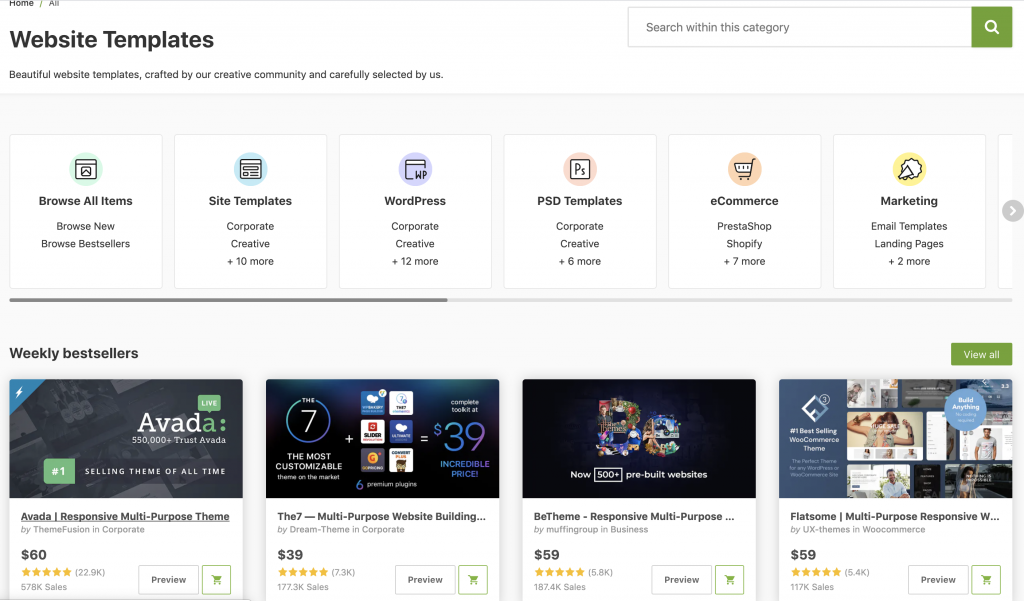
Our favourite site for purchasing premium WordPress themes is Themeforest (aka Envato Market). And our go-to paid theme that our Mildura web designers use for most clients is called Avada, which coincidentally is THE most-downloaded theme of all-time.
Installing & Customising A WordPress Theme
So you’ve picked out a new WordPress theme to use. Now what?
Well, most themes come with instructions for installation, so follow those to install the theme.
Next, it’s time to customise! Many, but not all, themes have an options panel in WordPress that makes it easy for you to make changes to your website’s header, footer, font, color scheme, and other design elements. This will likely be called Theme Settings or Theme Options.
Look for it in the WordPress dashboard sidebar, either under Appearance or under your theme’s name:
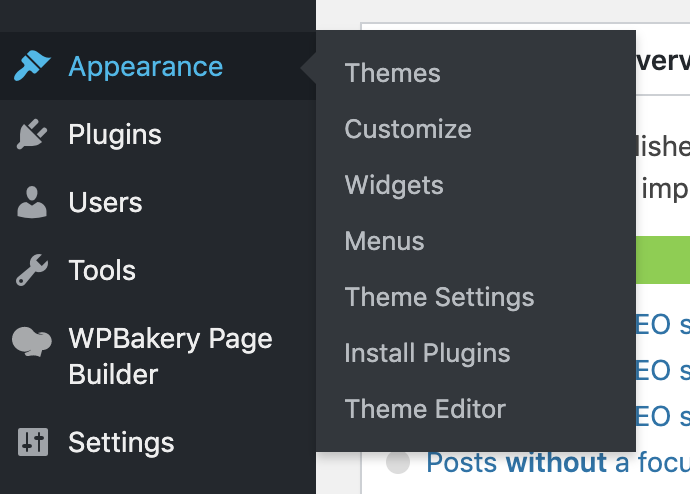
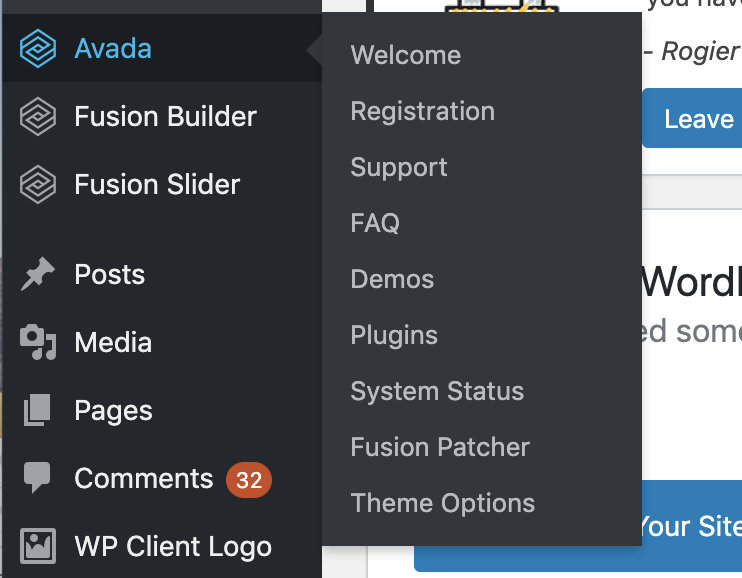
If you don’t see theme options anywhere on your WordPress dashboard, which can sometimes be the case with free themes or themes that you have custom-made by a web developer, you may only be able to make changes to your website’s appearance via the Theme Editor. You can find this under Appearance in the dashboard left sidebar.
Note that you will need to have an understanding of HTML and CSS code in order to effectively make changes to your site this way. DO NOT TOUCH THE THEME EDITOR IF YOU DON’T KNOW HOW TO CODE. You’ll do more harm than good and will most likely break your website if you don’t know what you’re doing.
Need help? Don’t sweat it! The rockstar web designers at Rock Solid Marketing are waiting to work with you, so contact our team today!